
Best AI Budgeting Tools for Indian Households — 2026 Complete Guide
📘 AI in Personal Finance — From Tracking to Intelligence
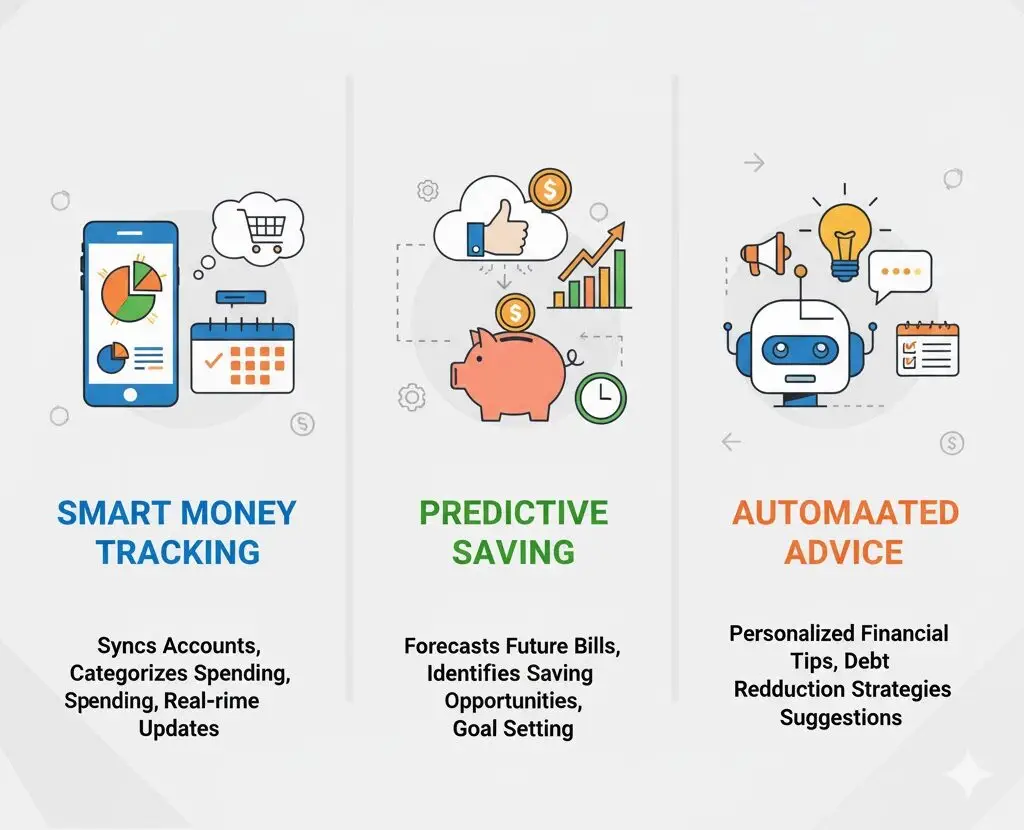
Artificial intelligence has transformed personal finance from passive tracking to active intelligence. First-generation finance apps (2015-2020) categorised expenses manually. Today’s AI-powered tools (2024-2026) automatically aggregate every financial account, predict future spending, identify investment gaps, optimise tax deductions, and nudge behaviour toward better financial outcomes — all without requiring the user to manually input a single transaction. For Indian households managing complex financial lives (multiple income sources, loans, investments across 5-10 institutions), AI tools provide a single, intelligent view that was previously only available to the wealthy through financial advisors.
📊 AI Finance & Fintech Data — India 2025-26
- Google Play India, 2025: Finance app downloads: 2.1 billion total. AI-powered personal finance apps (INDmoney, Fi, Jar) collectively reached 8 crore registered users — 3× growth in 3 years.
- RBI Account Aggregator Framework, 2025: 48 crore AA-linked accounts. 15 Financial Information Users (FIUs — apps like INDmoney) actively pulling financial data with user consent. AA framework is the technical foundation enabling AI tools to aggregate financial data legally and securely.
- SEBI Investor Survey, 2025: Households using dedicated financial management apps invest 2.1× more than those without. AI nudges (goal reminders, spending alerts) improve savings rates by 12-18% on average.
- Razorpay Fintech Report 2025: 68% of Indian millennials now use at least one AI-powered financial tool. Top use cases: expense tracking (82%), investment portfolio view (61%), credit score monitoring (47%), tax planning assistance (31%).
1. Top AI Finance Apps for Indian Households 2026
INDmoney — Best All-in-One AI Financial Dashboard
INDmoney is India’s most comprehensive AI-powered personal finance platform, aggregating mutual funds (CAMS/KFintech), stocks (CDSL/NSDL demat), EPF (EPFO UAN), NPS, FDs, credit cards, loans, and bank accounts into a single dashboard. Key AI features: spending pattern analysis across 40+ categories, investment gap detection, portfolio overlap identification, and tax deduction suggestions based on actual income and investment data.
| App | AI Capability | Data Sources | Free/Paid | Best Feature |
|---|---|---|---|---|
| INDmoney | High | AA, CAMS, EPFO, CDSL | Free/₹149mo | Complete net worth AI dashboard |
| Fi Money | Medium-High | Bank account (Federal Bank) | Free (neo-bank) | Smart savings automation (Jars) |
| Walnut | Medium | SMS parsing | Free | Zero-effort expense tracking |
| CRED | Medium | Credit card statements | Free | Credit card spend AI + score |
| Paytm Money | Medium | MF, stocks, bank UPI | Free | Investment + spending in one app |
| Jar | Medium | UPI transactions | Free | Round-up micro-savings automation |
Fi Money — Best for Automated Savings
Fi Money (powered by Federal Bank) uses AI to automatically move idle savings into smart deposits earning higher interest, track spending by category in real-time, and create goal-linked “Jars” — virtual savings buckets that automatically accumulate from salary and round-ups. For users who switch primary banking to Fi: the combination of best-in-class UI, 7% interest on deposits, and AI financial guidance makes it a genuinely superior banking experience.
Jar — Best for Micro-Savings Automation
Jar auto-invests the “change” from every UPI transaction into digital gold or mutual funds. Spend ₹450 on groceries → Jar rounds up to ₹500 and invests ₹50 automatically. Average Jar user invests ₹800-1,200/month through micro-savings without any conscious budgeting effort. Ideal for people who “can never save” — Jar makes it invisible and effortless.
2. The Account Aggregator — What Powers AI Finance
India’s Account Aggregator (AA) framework (RBI-regulated, launched 2021) is the technical infrastructure that enables AI finance apps to legally and securely access your financial data across institutions — with your explicit consent. How it works:
- You consent to share data from Bank A, Broker B, Insurance C through an AA (like Finvu, Onemoney, CAMS AA)
- The AA fetches data from each institution’s API (no screen scraping, no stored passwords)
- Data is shared with the app (Financial Information User) in encrypted, standardised format
- You can revoke consent anytime — the app cannot retain data after revocation
48 crore accounts are now AA-linked. All major banks (SBI, HDFC, ICICI, Kotak, Axis), AMCs, and insurance companies are Financial Information Providers (FIPs) on the AA network. This makes AI finance apps dramatically more accurate and comprehensive than SMS-parsing-based tools of the previous generation.
3. Using ChatGPT or Claude for Household Budgeting
AI assistants are powerful personal finance tools when used correctly. Effective prompting strategies:
Monthly Budget Creation
Prompt: “I earn ₹1,20,000/month take-home. My fixed expenses: rent ₹25,000, home loan EMI ₹18,000, car loan EMI ₹12,000, insurance ₹4,500, school fees ₹8,000. I want to save 20% of income and build an emergency fund. Create a month-by-month budget plan with specific category allocations.”
Investment Portfolio Review
Prompt: “I’m 32 years old, invest ₹15,000/month in mutual funds: 60% in HDFC Flexi Cap, 25% in Axis Mid Cap, 15% in SBI Small Cap. I have ₹50,000 in PPF annually and ₹72,000/year EPF. My goal is ₹3 crore by age 55. Am I on track? What changes should I consider?”
Tax Optimisation
Prompt: “I’m salaried at ₹22 lakh CTC. I have home loan interest of ₹1.8L, 80C investments of ₹1.5L, health insurance ₹25,000. Compare my tax under old vs new regime and tell me which is better and by how much.”
💡 The More Specific, the Better AI Finance Advice
Generic questions get generic answers. “How should I invest?” → vague. “I’m 35, earn ₹18L/year, have ₹12L in savings, ₹45L home loan at 8.5%, 2 children ages 5 and 8, want to retire at 58. How should I allocate ₹25,000/month across emergency fund, children’s education, and retirement investments?” → specific, actionable, personalised advice.
4. AI-Assisted Investment Decisions
Beyond budgeting, AI tools are now providing investment intelligence previously only available through expensive financial advisors:
| AI Feature | Available In | What It Does |
|---|---|---|
| Portfolio overlap detection | INDmoney, Value Research | Identifies if your 5 MF schemes all hold the same top 10 stocks (defeating diversification) |
| Goal gap analysis | INDmoney, Groww | Shows whether current SIP is sufficient for stated goal by target date |
| Rebalancing alert | INDmoney, Kuvera | Notifies when asset allocation drifts beyond threshold from target |
| Tax loss harvesting | Kuvera, Groww | Identifies MF units with unrealised losses for year-end tax optimisation |
| SIP step-up reminder | Groww, Zerodha Coin | Annual reminder to increase SIP by 10% as planned |
| LTCG harvest alert | Kuvera | Identifies units approaching ₹1.25L tax-free LTCG threshold for harvesting |
5. Data Privacy — What You’re Sharing
AI finance apps require access to sensitive financial data. Understanding what you’re sharing is essential:
- SMS-based apps (Walnut): Read-only access to all SMS — including non-financial messages. You’re trusting the app with your complete SMS inbox. Check app permissions carefully.
- AA-based apps (INDmoney): Structured financial data only — account balances, transactions, investment holdings. No SMS or other data. Consent is specific and revocable.
- Neo-bank apps (Fi Money): Full access to your banking data since it IS your bank. Federal Bank is RBI-regulated — standard banking privacy protections apply.
- ChatGPT/Claude prompts: When sharing financial details in AI prompts — don’t include account numbers, PAN, Aadhaar, or bank credentials. Share amounts and situations, not identifying information.
6. AI Limitations in Personal Finance
- AI cannot execute transactions: No AI budgeting app in India can automatically invest on your behalf without explicit instruction (SEBI regulations prevent robo-advisory from autonomous execution without user approval).
- AI predictions are probabilistic: Expense predictions are based on historical patterns — sudden income change, job loss, or medical emergency will be off-model. AI gives useful estimates, not guarantees.
- AI advice is general, not personal: Even the best AI cannot account for your complete family situation, cultural context, emotional relationship with money, or health considerations. Use AI for inputs, not as a replacement for personal judgment.
- Data quality determines insight quality: If your bank SMS is partial or your demat account is not linked, AI analysis will be incomplete. The better your data connections, the better the AI insights.
7. Recommended AI Finance Workflow for Indian Households
- Setup (once): Link all accounts to INDmoney via AA framework. Enable Walnut for SMS-based tracking backup. Connect CRED for credit card management.
- Daily (2 min): Glance at Walnut or INDmoney spending summary. Note any unexpected transactions.
- Weekly (10 min): Review INDmoney’s weekly spending by category. Check if any category is trending above budget.
- Monthly (30 min): Full budget vs actual review. Check investment goal progress. Review credit card statements via CRED. Use ChatGPT/Claude for any specific financial question that arose.
- Annually (2 hours): INDmoney portfolio health check — overlap, rebalancing need, tax optimisation. Update goals for changing circumstances (salary increment, new EMI, new goal). Confirm SIP step-up executed.
🧮 Free Calculators — Use Them Now
No login required. Updated for FY 2025-26.
Frequently Asked Questions
For automated AI budgeting: INDmoney is India’s most comprehensive AI-powered personal finance app — it aggregates all your accounts (bank, mutual funds, EPF, credit cards, loans), auto-categorises spending, and provides AI-driven insights on overspending patterns, investment gaps, and net worth trends. For expense automation: Walnut (SMS-based auto-tracking) remains the simplest for zero-manual-entry expense tracking. For goal-based AI advice: Fi Money’s Smart Deposits and Jars feature uses AI to allocate idle savings automatically. For credit card intelligence: CRED’s AI analyses your spending and suggests optimal card usage and bill payment timing.
AI assistants like ChatGPT and Claude are highly effective for: (1) Creating personalised monthly budgets — share your income, expenses, and goals; the AI generates a detailed category-wise budget. (2) Tax planning analysis — describe your income sources and ask for regime comparison and deduction optimisation. (3) Investment portfolio review — share your current holdings and get analysis on diversification, overlap, and rebalancing needs. (4) Financial goal calculation — ‘I want ₹50 lakh in 12 years; what SIP do I need?’ gets an instant calculation with explanation. Limitation: AI assistants cannot access your live bank data or execute transactions — they work on information you provide.
AI budgeting tools reduce spending through: (1) Visibility — most overspending happens in the dark; AI-categorised expenses make food delivery, weekend dining, and impulse e-commerce purchases visible in aggregate. Seeing ₹8,000/month on Swiggy/Zomato is more impactful than individual ₹200 orders feeling small. (2) Pattern recognition — AI identifies that your grocery spending spikes every 3rd week (coinciding with kids’ activity schedule) or fuel costs are 40% higher this month. (3) Goal nudging — apps like Fi remind you when goal savings are behind schedule. (4) Subscription audit — AI identifies recurring charges for services you might have forgotten.
Modern AI budgeting apps (INDmoney, Fi, Walnut) can predict next month’s expenses with 70-85% accuracy for regular households, based on: bill payment patterns (rent, EMI, insurance — fully predictable), historical category spending (groceries, utilities — high predictability), seasonal patterns (festive months, school fee months — moderate predictability), and discretionary categories (dining, travel — low predictability). This prediction helps with: advance savings for high-expense months, identifying months with unusually high spend vs historical baseline, and planning large purchases around lower-expense periods.
INDmoney’s AI features include: (1) Net worth dashboard — real-time aggregation of all assets (MF, stocks, EPF, PF, NPS, FD, loans) with AI-calculated net worth trend. (2) Spending insights — AI categorises and analyses 12-month spending patterns, identifies top spend categories, and suggests reduction opportunities. (3) Investment gap analysis — AI compares your actual investments to goals and highlights monthly shortfall. (4) Portfolio health score — AI evaluates your portfolio for concentration risk, overlap between funds, return adequacy for your goals. (5) Credit score monitoring — monthly CIBIL score tracking with AI explanation of factors affecting it. (6) Tax optimisation insights — AI identifies underutilised deductions based on your income and investment profile.