
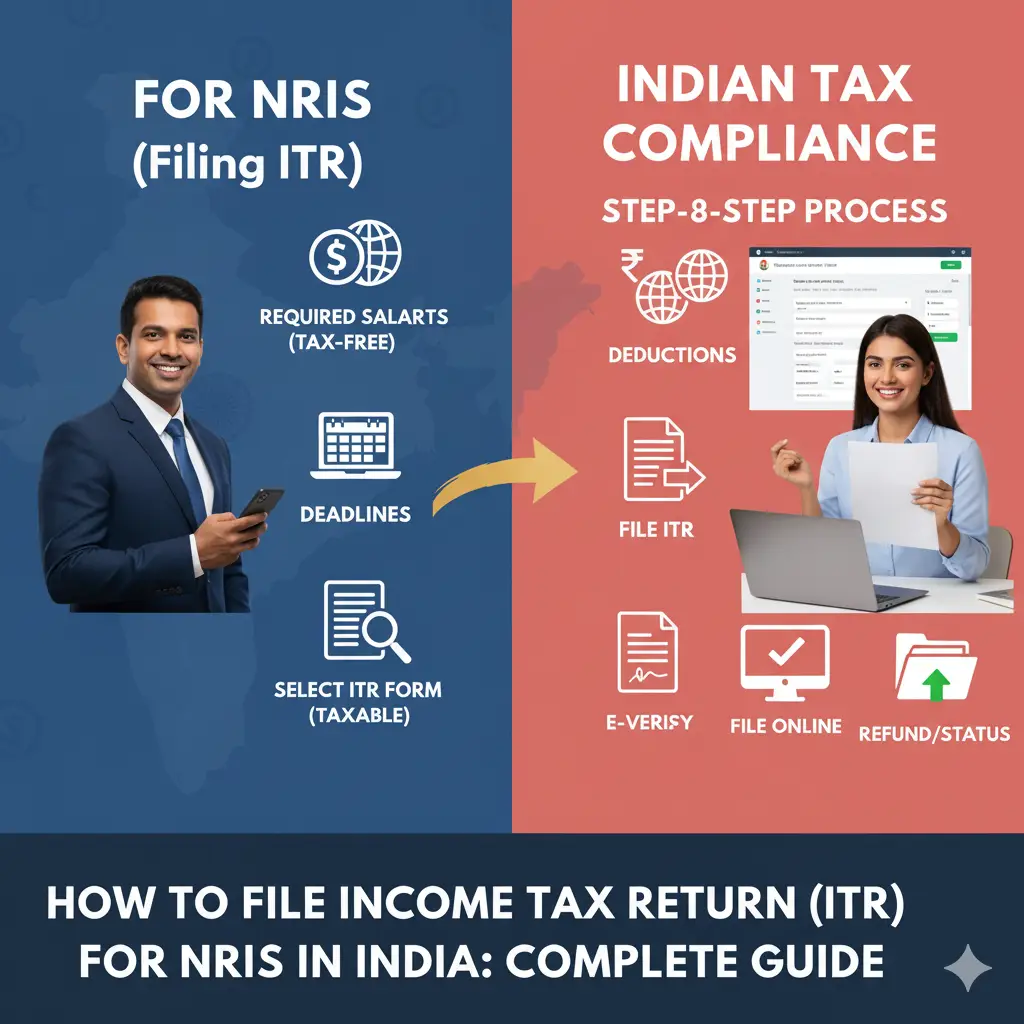
How to File ITR as NRI in India — Complete 2026 Guide
📘 NRI ITR — File to Reclaim Excess TDS and Stay Compliant
Most NRIs overpay Indian tax through excess TDS deductions — 30% on NRO FD interest when actual tax liability may be 20%, 20% on property sale when actual gain-based tax is far less. Filing the Indian ITR is how NRIs reclaim this excess and stay compliant. For NRIs with any India-sourced income above Rs2.5L, filing is mandatory. For those with lower income but TDS deducted: filing is the path to refund. This guide covers NRI ITR form selection, tax slabs, DTAA claims, Schedule FSI, and the full filing process for AY 2026-27.
📊 NRI ITR Data — India AY 2025-26
- CBDT, AY 2025-26: NRI ITRs filed: 3.8 lakh (significant under-reporting gap — estimated 8-12 lakh NRIs have India tax filing obligation). Refunds to NRIs: Rs4,800 crore from excess TDS. Average refund per NRI ITR: Rs1.26L — highlighting how systematically NRIs overpay through TDS.
- TDS Section 195, FY 2024-25: TDS collected from NRI payments: Rs42,000 crore. Refund claimed by NRIs: Rs4,800 crore (11.4%). Estimated unclaimed NRI refunds due to non-filing: Rs6,000-8,000 crore annually. NRIs leave significant refunds unclaimed by not filing ITR.
- NRI DTAA claims, AY 2025-26: Schedule TR claims by NRIs: 42,000 ITRs. Average DTAA relief claimed: Rs68,000. Growing awareness of DTAA treaty benefits driving more NRIs to file even for modest India income.
- CBDT NRI amnesty scheme compliance, 2024: NRIs who regularised undisclosed India income: 8,400 under e-disclosure scheme. Average regularised income: Rs42L. Evidence that many NRIs had unreported India income that is now being brought into compliance.
1. Who Must File ITR as NRI
| Situation | Must File ITR? |
|---|---|
| India-sourced income above Rs2.5L (rental, capital gains, NRO interest) | Yes — mandatory |
| TDS deducted and refund due (even if income below Rs2.5L) | Yes — to claim refund |
| Sold Indian equity MF or stocks (any amount) | Yes — capital gains must be declared |
| Sold Indian property (any amount) | Yes — capital gains must be declared |
| Only NRE account interest (tax-exempt) | Not required (but recommended) |
| ROR status — worldwide income above threshold | Yes — including foreign income |
2. NRI Tax Slabs and Key Differences from Residents
| Feature | NRI | Resident Indian |
|---|---|---|
| New regime slabs | Same slabs | Same slabs |
| 87A rebate (Rs25,000) | Not available | Available (zero tax up to Rs12L) |
| HRA exemption | Generally not applicable | Available (if India salary) |
| LTCG on listed equity (12.5%) | Same rate | Same rate |
| TDS rate on NRO interest | 30% (higher) | 10% |
| DTAA treaty benefits | Available with TRC | Not applicable (resident taxed globally) |
3. NRI Must Use ITR-2 (Not ITR-1)
ITR-1 (Sahaj) is ONLY for resident Indians. NRIs with any India income must use ITR-2 or ITR-3. ITR-2: salary from India + rental income + capital gains from property/equity/MF + NRO interest + DTAA claims. Covers most NRI situations. ITR-3: add if NRI has business or professional income from India. Filing timeline: NRIs have the same July 31 filing deadline as residents (October 31 if audit required). Late filing: Rs5,000 penalty plus interest on unpaid tax. Cannot carry forward capital losses if ITR filed late.
4. Claiming DTAA Benefit — Tax Relief for Double Taxation
To claim DTAA benefit in Indian ITR: (1) Obtain Tax Residency Certificate (TRC) from your country of residence. US: IRS Form 6166. UK: HMRC tax residence certificate. UAE: MOF certificate (India-UAE DTAA limited). Singapore: IRAS tax residency certificate. (2) Complete Schedule TR in ITR-2: enter country, nature of income, amount, Indian tax computed, foreign tax paid, DTAA article applicable. (3) Attach TRC with ITR if e-filing system requires upload. (4) Claim relief: Indian tax reduced by foreign tax paid (or the treaty provides specific lower rates). Example: NRI resident in US earning NRO FD interest in India. India TDS: 30%. India slab tax: 20%. US taxes same interest. India-US DTAA: NRI claims foreign tax credit in US return for India tax paid. Result: not double-taxed on same income.
5. Schedule FSI — Critical for RNOR and ROR Filers
| Residency Status | Schedule FSI Required? | Foreign Income Taxable? |
|---|---|---|
| NRI | No — only India income taxed | No — not in scope |
| RNOR | Yes — declare foreign income (even if exempt) | No — exempt as RNOR |
| ROR (Resident and Ordinarily Resident) | Yes — mandatory, fully taxable | Yes — worldwide income |
6. Claiming TDS Refund as NRI
Common NRI TDS over-deductions: NRO FD interest: 30% TDS deducted but actual tax at slab rate 20% = 10% refund. Property sale: 20% TDS on full consideration but actual LTCG tax on gain = significant refund. NRO savings account: 30% TDS but actual tax lower = refund. To claim: file ITR-2, declare the income, compute actual tax, enter TDS from Form 26AS/AIS. ITD processes refund to pre-validated bank account. Average NRI refund: Rs1.26L per ITR. Pre-validate NRO account on incometax.gov.in before filing — refunds go only to pre-validated accounts.
7. Step-by-Step NRI ITR Filing Process
- Login to incometax.gov.in using PAN + password
- Download Form 26AS and AIS — verify all TDS and income entries
- Select e-File → ITR → File ITR → AY 2026-27 → ITR-2 → Online mode
- Complete Schedule S (India salary, if any)
- Complete Schedule HP (rental income: gross rent minus 30% standard deduction minus property tax)
- Complete Schedule CG (capital gains from India assets)
- Complete Schedule OS (NRO interest, dividends, other India income)
- Complete Schedule FSI (foreign income if RNOR or ROR)
- Complete Schedule TR (DTAA relief, if applicable — attach TRC)
- Verify TDS credits in Schedule TDS — must match Form 26AS
- Select regime (old or new — new often better for NRIs with limited India deductions)
- Preview tax computation, pay balance tax if any
- Submit and e-verify via Aadhaar OTP or Net Banking EVC
🧮 Free Calculators — Use Them Now
No login required. Updated for FY 2025-26.
Frequently Asked Questions
NRI ITR filing obligation: NRIs must file Indian ITR if: (1) India-sourced income exceeds Rs2.5 lakh in the financial year. India-sourced income includes: salary for work done in India, rental income from Indian property, capital gains from sale of Indian assets (property, stocks, MF), interest from NRO accounts, interest from Indian FDs, dividends from Indian companies. (2) TDS has been deducted from any India income and refund is due. Common scenario: NRO FD interest with 30% TDS, actual tax liability at 20% — file ITR to claim Rs10% refund. (3) Capital gains from Indian stocks or MF redemptions. Even small amounts of equity MF redemption create ITR filing obligation. NRIs with ONLY NRE account interest: NRE interest is tax-exempt — no ITR filing obligation from NRE income alone. NRIs with ONLY NRE FD and no other India income: technically may not need to file. Recommended practice: file even when not strictly required — establishes tax residency record and facilitates future repatriation compliance.
NRI income tax slabs (FY 2025-26): NRIs pay income tax on India-sourced income at the same slab rates as resident Indians. New regime (recommended for most NRIs who have limited India deductions): Up to Rs3L: 0%. Rs3-7L: 5%. Rs7-10L: 10%. Rs10-12L: 15%. Rs12-15L: 20%. Above Rs15L: 30%. Key NRI differences from resident: NRIs cannot claim 87A rebate (the Rs25,000 rebate that makes income up to Rs12L zero-tax for residents). NRIs cannot claim HRA exemption (not earning salary in India typically). NRIs can claim Section 80C, 80D, NPS deductions if applicable but many of these instruments (PPF, ELSS, NSC) require resident status. NRIs can invest in NPS — and can claim 80CCD deductions in old regime. Capital gains for NRIs: LTCG on listed equity MF — 12.5% (same as resident). LTCG on property — 12.5% or 20% with indexation (same as resident). STCG on listed equity — 20% (same as resident). TDS for NRIs: higher TDS deducted than resident rates — NRI must file ITR to claim refund of excess TDS.
DTAA (Double Tax Avoidance Agreement) in NRI ITR: India has DTAA with 90+ countries including US, UK, UAE, Canada, Singapore, Germany, Netherlands, Australia. How DTAA helps NRIs: prevents the same income being fully taxed in both India and country of residence. How to claim in Indian ITR: DTAA benefit is claimed in Schedule TR (Tax Relief under DTAA) in ITR-2 or ITR-3. Required: foreign tax payment proof (Form W-2 for US, tax certificate from foreign country), DTAA provisions applicable to the specific income type, Tax Residency Certificate (TRC) from the foreign country certifying NRI is tax resident there (required to claim treaty benefit in India). TRC requirement: since Budget 2012, India requires TRC before allowing DTAA benefits. Obtain TRC from tax authority of your country of residence. Common DTAA benefits: UAE DTAA: India-UAE treaty prevents India from taxing certain UAE-sourced income. US DTAA: specific provisions for dividend, interest, and capital gains treatment. No DTAA with some countries: if your country has no DTAA with India, India taxes India-sourced income fully. Claim foreign tax as deduction (Section 91) but no treaty benefit available.
NRI ITR form selection: ITR-2: most NRIs who have salary (from India), rental income, capital gains from property, equity, or mutual funds, and foreign assets use ITR-2. Covers most NRI situations. ITR-3: if NRI has business or professional income from India (consulting, freelancing with Indian clients). ITR-1 (Sahaj): NRIs cannot use ITR-1 — ITR-1 is only for residents. Even simple NRI situations require ITR-2. How to file: login to incometax.gov.in using PAN. Select AY (Assessment Year for the financial year ending March). Select ITR-2 (or ITR-3). Key sections to complete: Schedule S (salary if India-sourced), Schedule HP (house property — rental income minus 30% standard deduction minus property tax), Schedule CG (capital gains from India assets), Schedule OS (other income — NRO interest, dividends), Schedule FSI (Foreign Source Income — even if exempt as RNOR, declare here), Schedule TR (DTAA relief), Schedule FA (foreign assets — required once ROR status). E-verify using Aadhaar OTP linked to Aadhaar-registered mobile, or via Net Banking EVC, or by sending signed ITR-V to CPC Bengaluru.
Schedule FSI (Foreign Source Income) is an ITR schedule where you declare income earned outside India. Who needs to complete Schedule FSI: RNOR status filers: foreign income is exempt but must still be declared in Schedule FSI. This declaration with the exemption claim is mandatory. ROR status filers: all foreign income declared and taxed in India — Schedule FSI captures the gross amount, the country, and the foreign tax paid. Schedule FSI details to enter: country of source, nature of income (salary, dividends, rental, pension), amount in foreign currency, Indian rupee equivalent, tax paid in foreign country, DTAA article applicable (if claiming treaty benefit). Common NRI mistakes in Schedule FSI: not declaring foreign income as RNOR (assuming exemption means no declaration needed), not attaching TRC when claiming DTAA benefit, using incorrect exchange rates (use RBI reference rate for the date of income receipt). Penalty for non-declaration: as ROR, Schedule FA must list foreign assets and Schedule FSI must list foreign income. Black Money Act applies to material non-disclosure. Even as RNOR, non-declaration creates compliance risk if CBDT queries why foreign income is absent from returns.